Help / 5 · Volunteer quick sheet
Volunteer quick sheet
Sign in, make a sale, several items in one order, the home screen app.
Everything a volunteer needs, on one page. Each event has a printable version with its own name and web address: in the admin, open Event and PIN and choose Print the volunteer sheet. The PIN is never printed; give it out at the door.
Sign in
- Open your organization’s address on your phone, for example maplehigh.eventcnx.io.
- Type the PIN and your first name. No app or account needed.
Make a sale
- Tap what’s being sold, pick the option and how many.
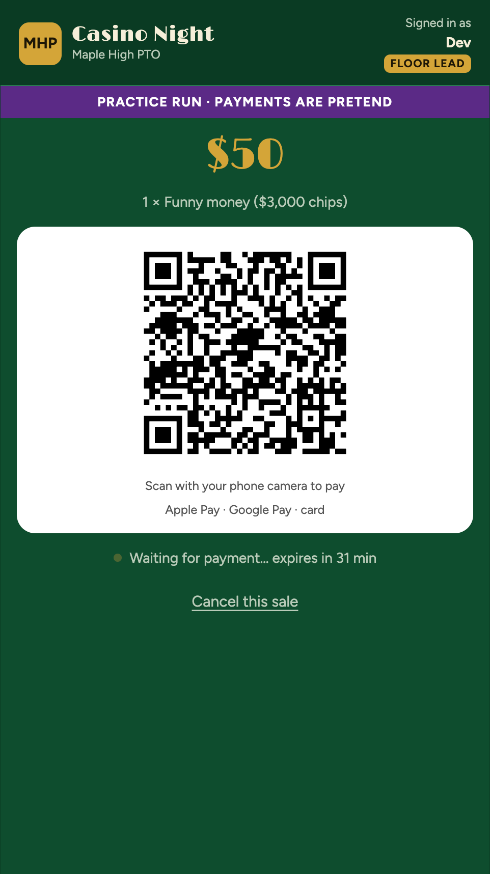
- Tap Show QR. The guest scans it with their phone camera and pays with Apple Pay, Google Pay or a card.
- Your screen says Paid and what to hand over.
Several items
- Tap Add to order for each item.
- Then Show QR once for the whole order. The paid screen lists what to hand over for each item.
- 50/50 tickets and sideboard rounds are always their own sale.
Put it on your home screen
- iPhone: in Safari, tap Share, then Add to Home Screen.
- Android: tap Install on the card on the sign-in page.
- It opens full screen. You’ll sign in once more inside it.
Never take cash for a card sale if the phone says “Payments are off”. Find the organizer.