Help / 4 · Run the night
Run the night
The Tonight tab, sideboard rounds and the floor lead PIN, the 50/50 drawing.
What the event chair does from doors open to the last drawing.
The Tonight tab
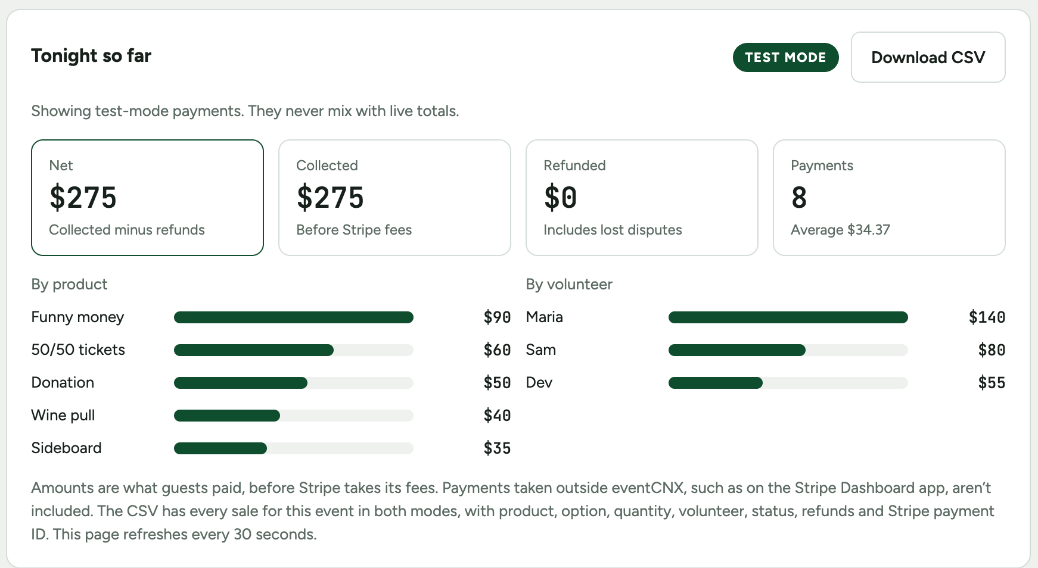
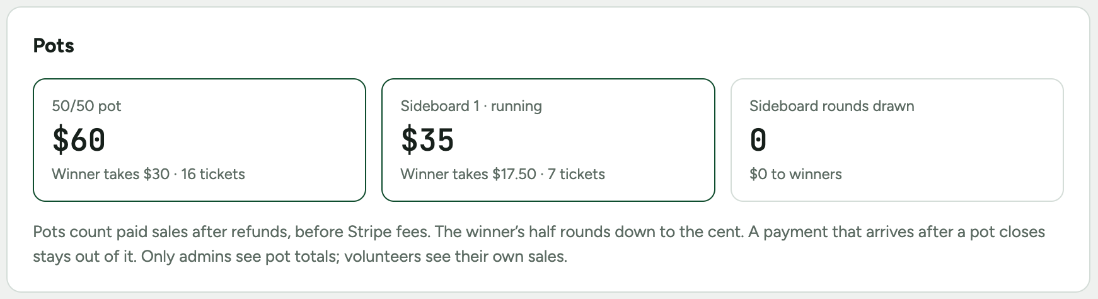
Open your event in the admin. The Tonight tab shows the night so far: net, collected and refunded, totals by product and by volunteer, and every pot. It refreshes on its own every 30 seconds.
Sideboard rounds
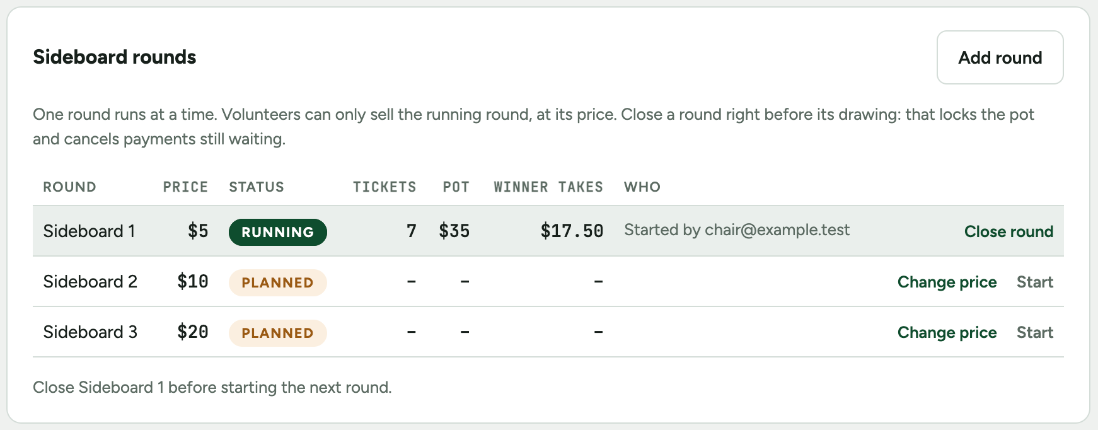
- Rounds are planned on the Products tab, each with its own price. You can add a round or change a planned round’s price here too.
- Press Start on the next round. Every volunteer’s phone switches to it.
- Right before the drawing, press Close round. The pot locks, and QR codes still waiting for that round stop working, with no money taken.
- Draw, pay the winner their half, then start the next round.
A floor lead
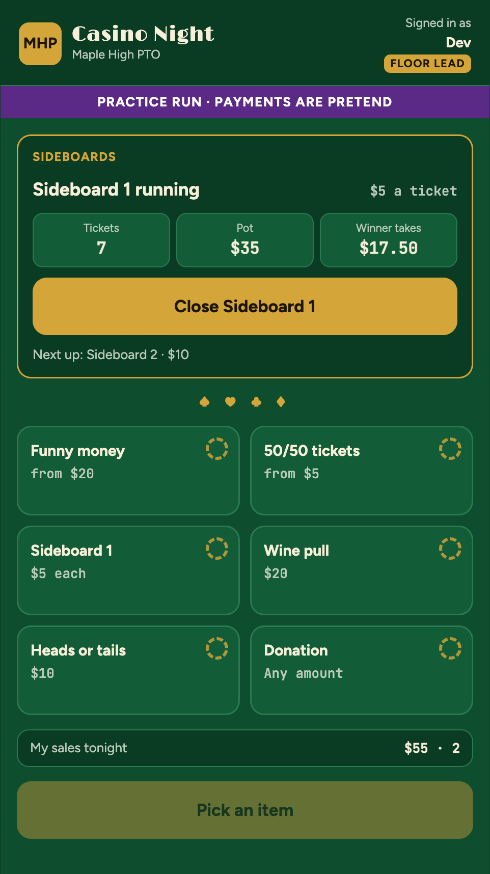
If you’ll be away from the admin, set a floor lead PIN on the Event and PIN tab and give it to whoever runs the sideboards. They sign in on the volunteer page with it and their name, sell as usual, and get a Sideboards panel to close the running round and start the next. They can’t change prices, lock the 50/50, or see totals.
Tip: change or turn off the floor lead PIN after the night. That signs out anyone still using it.
The 50/50 drawing
- Announce last call and give the tables a minute to finish.
- Press Close 50/50. Waiting 50/50 payments stop, and the pot locks with the winner’s half worked out. This can’t be undone.
- Draw from the paper stubs.

Next: After the night · Problems: Something not working?