Help / 1 · Set up your first event
Set up your first event
Sign up, connect Stripe, start from a template, set prices, add your logo and the volunteer PIN.
1. Sign up
- Go to app.eventcnx.io/signup and enter your organization’s name, the web address you want (like maplehigh.eventcnx.io), your state and your email.
- Open the link we email you. That makes you the organization’s owner and signs you in.
- Next time, sign in at your own address, for example maplehigh.eventcnx.io/admin/login. We email a one-time link; there’s no password.
2. Connect Stripe
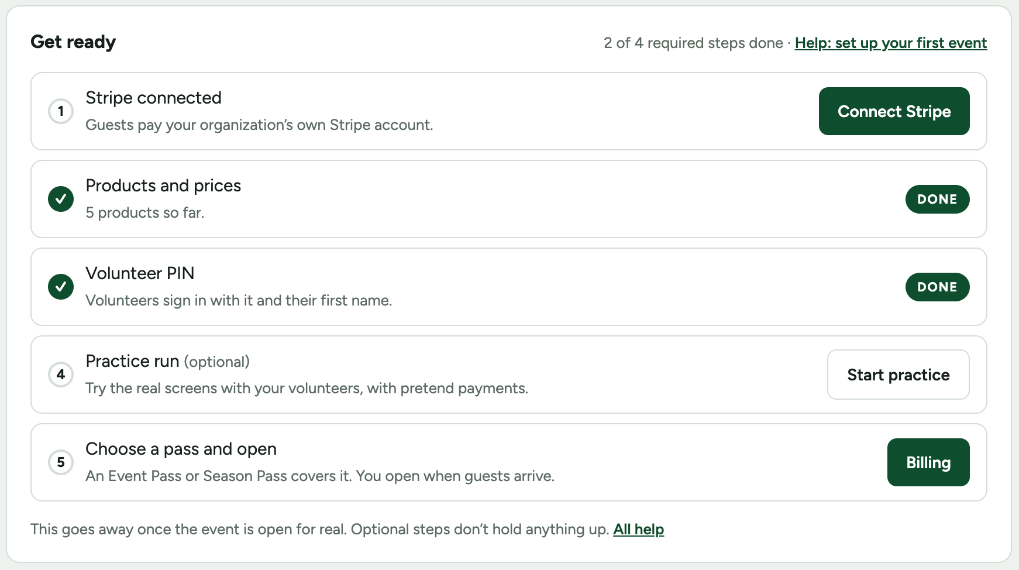
Guests pay your organization’s own Stripe account, so eventCNX never holds the money. In the admin, open Stripe and press Connect Stripe. Sign in to your organization’s Stripe account, or create one; Stripe walks you through it. eventCNX works with Stripe only.
3. Create the event
- On Events, name the event and pick a template: casino night, night at the races, gala, golf outing, trivia, bingo, dinner, bake sale or merch table. Or start blank.
- The template fills in the usual products with suggested prices. Change or remove anything on the Products tab.
4. Products and prices
- Fixed price or options: one price, or choices like “1 for $5 / 3 for $10”. Volunteers can sell several at once.
- Any amount: the volunteer types what the guest wants to give, from $1 to $10,000.
- Sideboard rounds: each round has its own price and its own pot; the winner takes half.
- Tick Counts toward the 50/50 pot for 50/50 tickets, and set how many paper tickets each option hands over.
- Tick Ask for contributor details on a product when you need the guest’s address, employer and occupation, for example for a political campaign’s reporting.
- Add a common item brings in a ready-made product, like raffle tickets or drink tickets.
5. The volunteer PIN and your look
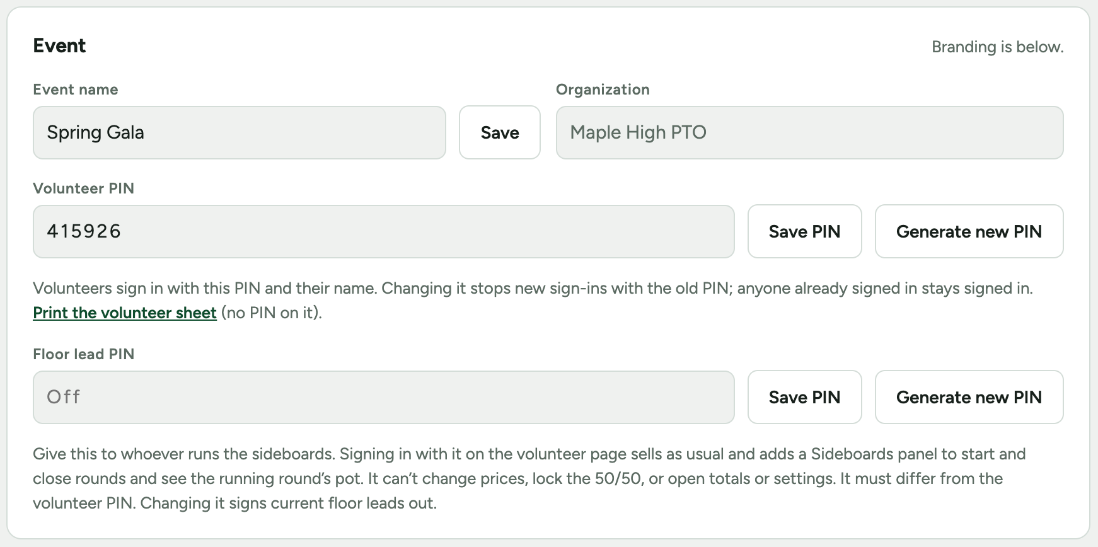
On the Event and PIN tab, set a 6-digit volunteer PIN or generate one. Volunteers sign in with it and their first name. Below it you can add a floor lead PIN for whoever runs the sideboards (see Run the night), and print the volunteer sheet.
Further down: upload your logo, pick a theme (Casino felt, Gala night, Daylight, or your own two colors), and the footer color. A sponsor spot, with your sponsor’s name and logo on every screen, can be added for $39 an event.
6. Other admins
On Admins, add people who can run the event with you. An Event Pass allows 3 admins and a Season Pass 10. Each signs in with their own emailed link.
Next: Run a practice night